
Color Craze Fundraiser
Create and share your student’s 2026 color Craze Fundraiser
Setting up your student’s fundraising account correctly is imperative to ensuring your donations count toward t-shirts, additional participants, and grand prizes. Color Craze fundraising will be managed and tracked through Donately. Setting up your student’s Donately account is easy and takes less than 5 minutes.
Before you get started…
Creating Your Student’s Fundraising Page
When you arrive on our PBES 2026 Color Craze Run fundraising page, you will click a button that says “START A FUNDRAISER.” Then you will see a form like the one below. Follow these instructions when completing your form to ensure your donations count toward earning t-shirts, additional participants, and grand prizes.
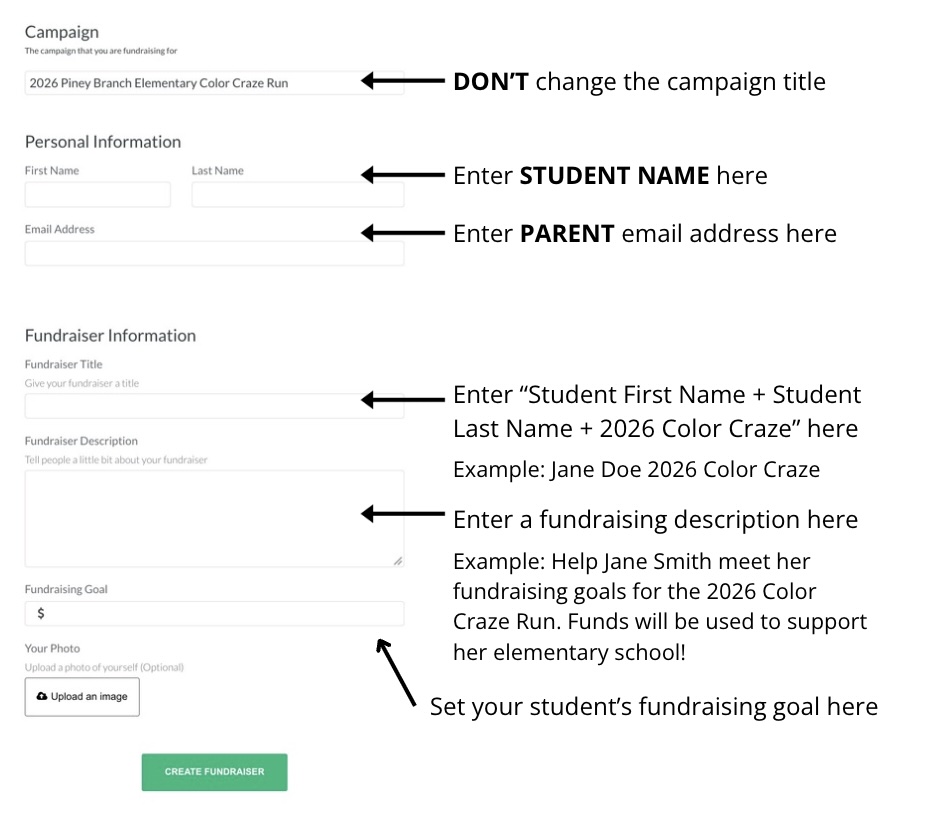
Click the “CREATE FUNDRAISER” button to complete setting up your student’s fundraiser. Your fundraising page will look like this:
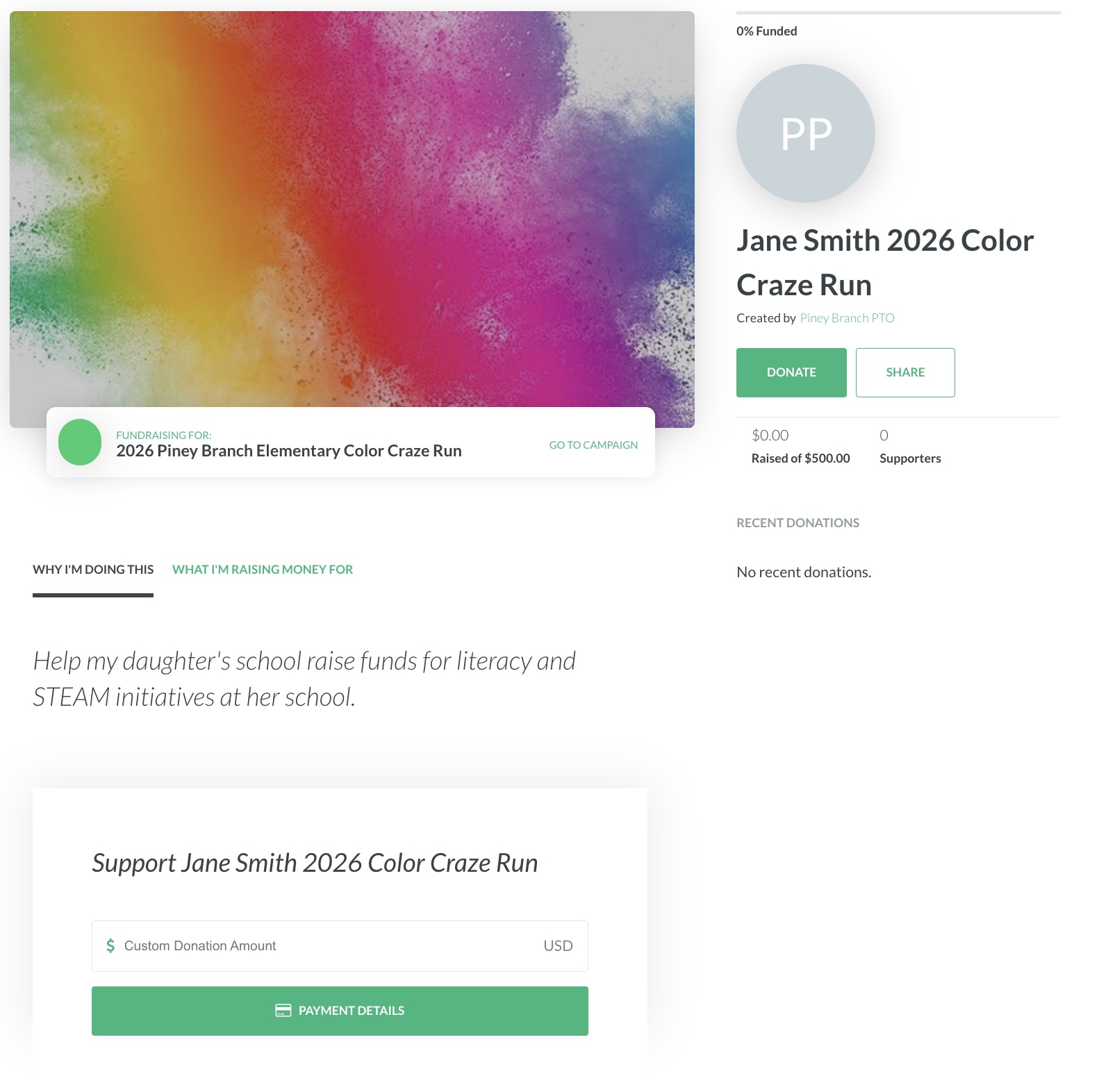
You’re Ready to Share your Student’s Fundraiser
Click the “SHARE” button to share your student’s fundraising page with friends and family and watch the funds roll in!
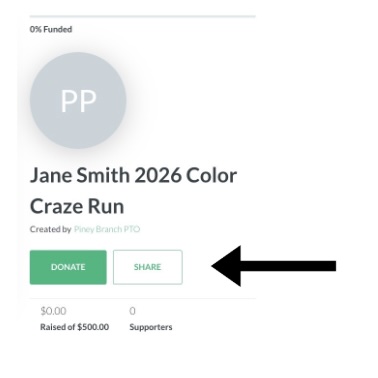
Your Fundraiser Starts Here!
You are now ready to launch your student(s) Color Craze fundraiser—and every share helps build the excitement across Piney Branch. Please remember that you must create a unique fundraising page for each individual PBES student. Let’s kick off the season strong and show our community what our students can achieve together!